

You’re staring at three nearly identical phone chargers on Amazon. Same price range, same star rating, same vague product photos. One has 4,000 reviews, another has 400, and the third promises “ultra-fast charging” in all caps. Which one do you actually click “Add to Cart” on? This moment of decision paralysis happens to almost everyone who shops online, and it’s where a lot of impulse buys (and regrets) are born.
Learning how to compare similar products quickly on Amazon saves you from buyer’s remorse and helps you spot the genuinely good deals hiding among the mediocre ones. By the end of this guide, you’ll know exactly which details matter, which ones are marketing fluff, and how to make confident decisions in under five minutes—even when everything looks the same at first glance.
Quick Steps to Compare Products on Amazon
- Open 3–4 similar products in separate browser tabs
- Scroll to the product details section and note key specs
- Check the star rating breakdown, not just the overall number
- Read 3–5 three-star reviews for balanced opinions
- Look at the “Compare with similar items” table if available
- Check the return policy before committing
What You’ll Need

Good news: you don’t need any special tools or browser extensions to compare products effectively. Here’s what helps:
- A desktop or laptop browser (mobile works but tabs are easier on a bigger screen)
- About 5–10 minutes of focused attention
- A rough idea of your budget ceiling
- One or two “must-have” features in mind
That last point matters more than people realize. If you start comparing without knowing what you actually need, you’ll end up swayed by features that sound impressive but don’t serve you. A common mistake is getting distracted by premium options that exceed your original requirements—and your budget.
How to Compare Similar Products Step by Step
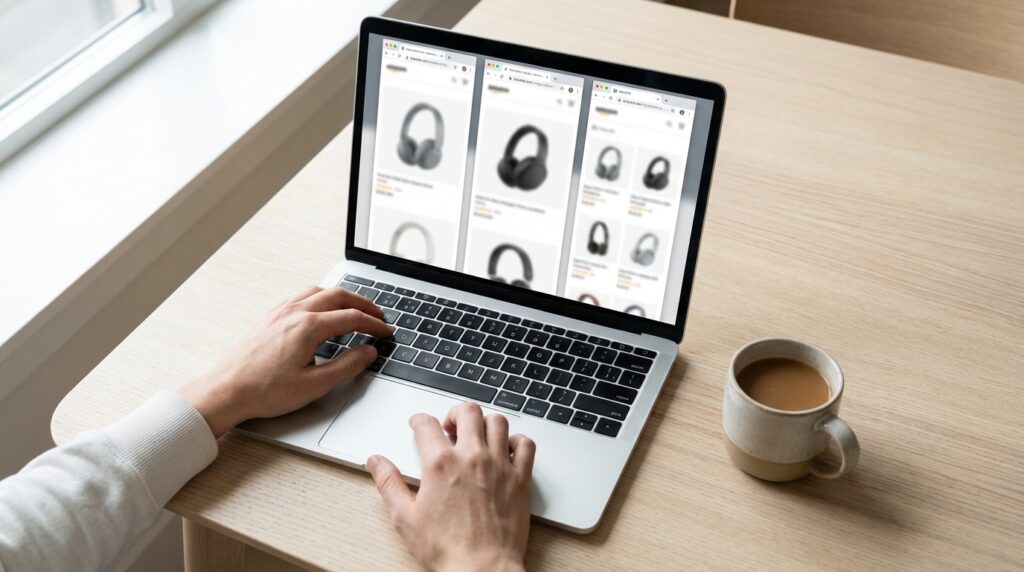
Step 1: Start by searching for your product and opening 3–4 options that catch your eye. Don’t overthink this first selection—just pick items within your price range that seem promising. Open each one in a new tab so you can flip between them easily. More than four gets overwhelming; fewer than three doesn’t give you enough perspective.
Step 2: Scroll past the photos and marketing copy to find the product details or specifications section. This is where you’ll find the actual measurements, materials, wattage, capacity, or whatever metrics matter for your purchase. Write down or mentally note the 2–3 specs that are most important to you. If you’re comparing blenders, that might be motor wattage and jar capacity. For bedding, it’s thread count and material composition.
Step 3: Now look at the reviews, but do it strategically. The overall star rating is just a starting point. Click on it to see the breakdown—a product with 4.2 stars where most reviews are either 5-star or 1-star tells a different story than one with 4.2 stars spread evenly across ratings. The first pattern often means the product works great for some people and terribly for others, which suggests quality control issues or a very specific use case.
Step 4: Read the three-star reviews. This sounds counterintuitive, but three-star reviewers tend to be the most balanced. They liked the product enough not to hate it, but noticed real flaws worth mentioning. You’ll learn more from “It works fine but the cord is shorter than expected” than from “LOVE IT!!!” or “Garbage, don’t buy.”
Step 5: If Amazon shows a “Compare with similar items” table on the product page, use it. This feature pulls key specs into a side-by-side format and saves you from tab-hopping. Not every product has this, but when it’s there, it’s genuinely useful. Pay attention to dimensions, included accessories, and warranty information—these often differ more than you’d expect between similar-looking items.
Step 6: Before you decide, check the return policy. Some items sold by third-party sellers have stricter return windows or charge restocking fees. If you’re torn between two products and one has a more flexible return policy, that’s a reasonable tiebreaker.
Shortcut If You’re Short on Time
- Filter search results by 4+ stars and Prime shipping to narrow options fast
- Read only the “most helpful” critical review on each product
- Check if one option is an “Amazon’s Choice” badge holder—it’s not perfect, but it indicates decent sales velocity and return rates
- When specs are nearly identical, go with the seller that has more reviews (larger sample size = more reliable rating)
- Skip products with reviews that all sound the same or were posted on the same day
Common Mistakes When Comparing Products

Even experienced online shoppers fall into a few traps. Here’s what to watch for:
- Trusting the first photo too much. Product images are styled to look their best. Always check the customer photo section in reviews to see what the item actually looks like in someone’s home.
- Ignoring the “Frequently Bought Together” section. Sometimes this reveals that a product needs accessories sold separately—like a device that doesn’t include batteries or a cable.
- Comparing prices without checking quantity. A $15 pack of something might seem cheaper than a $20 pack until you realize the first one contains half as many units.
- Getting stuck in analysis paralysis. If you’ve spent more than 15 minutes comparing and still can’t decide, the products are probably similar enough that either choice will be fine. Pick one and move on.
- Overlooking shipping times. Two products might be the same price, but one arrives in two days while the other takes two weeks. Factor that into your decision if timing matters.
A scenario that comes up often: someone spends an hour comparing five nearly identical items, finally picks one, and then sees a “customers also viewed” suggestion that restarts the whole cycle. Set a time limit for yourself. Perfectionism costs more in wasted time than the occasional imperfect purchase.
What the Review Count Actually Tells You

Review count is one of the most misunderstood metrics on Amazon. A product with 10,000 reviews isn’t automatically better than one with 500. What matters is the ratio of reviews to how long the product has been available and whether the reviews seem authentic.
A newer product with 500 genuine reviews might be a better bet than an older product with 10,000 reviews accumulated over five years—especially if the newer one has been updated or improved. Check the dates on recent reviews to see if people are still buying and liking the product now, not just three years ago.
On the flip side, be cautious of products with suspiciously high review counts but vague, repetitive feedback. Phrases like “great product, fast shipping, highly recommend” repeated across dozens of reviews can indicate incentivized or fake reviews. Look for reviews that mention specific details about using the product—those tend to be more trustworthy.
Frequently Asked Questions
How do I know if a product has fake reviews?
Look for patterns: reviews posted on the same date, overly generic language, or an unusually high percentage of five-star ratings with no critical feedback. Verified purchase badges help, but aren’t foolproof. If something feels off, trust your instincts and consider a different option.
Is the “Amazon’s Choice” badge reliable?
It’s a useful signal but not a guarantee of quality. The badge typically indicates a product that’s popular, well-priced, and available for quick shipping with a decent return rate. It’s a reasonable starting point, but still worth checking reviews yourself.
Should I always buy the product with the most reviews?
Not necessarily. More reviews mean more data, which can make the star rating more reliable. But a newer product with fewer reviews might be better designed or priced. Use review count as one factor, not the only factor.
What if two products have identical specs and ratings?
Look at secondary factors: return policy, seller reputation, shipping speed, and warranty. If everything is truly equal, pick the one with the better customer photos in reviews or the more responsive seller (check if they reply to questions).
Summary and Next Step
Comparing similar products on Amazon doesn’t have to eat up your afternoon. Focus on the specs that actually matter to you, read a handful of balanced reviews, and use Amazon’s built-in comparison tools when they’re available. Most importantly, set a time limit so you don’t spiral into endless research mode.
Next time you’re stuck between two or three options, try the three-star review trick. Spend two minutes reading what those middle-ground reviewers noticed, and you’ll often find the clarity you need to make a confident choice. Happy shopping—and may your next purchase be exactly what you hoped for.